A free Mac cleaner that shows its evidence.
MyCleanMac finds caches, logs, Trash, Mail attachments, privacy traces, app leftovers, and large files. You see every item and its safety rating before anything is removed.
No subscription. No account. No nagging.
macOS 13 or later · Apple Silicon and Intel · Version 1.0.9
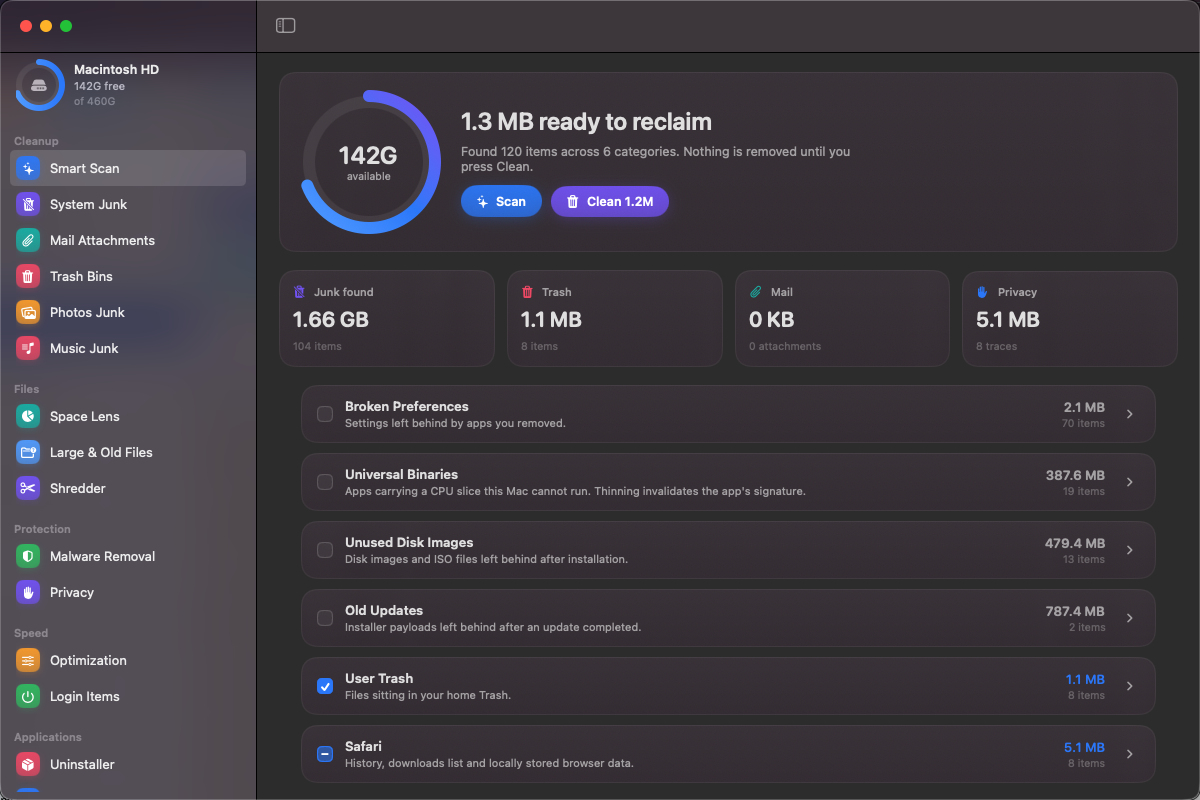
See the app in action
A 45-second walkthrough of the scan results and the three safety ratings.
What it cleans
Sixteen modules cover the places junk actually collects. Each result is sized and rated before it appears in the list.
- System caches and logs
- Trash bins, including iCloud Trash
- Mail attachments
- Photos junk
- Music junk
- Broken preferences and app leftovers
- Unused disk images and old installers
- Large and old files
- Login items and extensions
What it never touches
Protected categories are excluded at scan time and checked again before any removal.
- VPN clients
- Password managers
- Input methods
- Cloud-sync clients
- Security and antivirus tools
Three safety ratings
The rating is decided at scan time and shown next to every item.
Safe
Regenerates automatically. Safe items are pre-selected because removing them does not remove your data.
Review
Your data or configuration. These items are listed but never pre-selected, and Review items go to the Trash.
Protected
Never offered for removal. VPNs, password managers, input methods, cloud clients, and security tools stay untouched.
Common questions
Is MyCleanMac really free?
Yes. There is no trial, subscription, account, ad, or in-app purchase. Download it and use it.
Does it remove anything without asking?
No. A scan only reports what it found. Nothing is removed until you review the selection and press Clean.
Why does it need Full Disk Access?
macOS hides Trash, Mail, Safari data, and other folders from every app until access is granted. Without it, those locations look empty even when they are not.
Does it send information about my Mac anywhere?
No. There is no analytics or telemetry. The only optional network request is the updater reading an app's public update feed.
Reclaim space without a subscription.
Download the notarized macOS build, run a scan, and review the evidence before you clean.